Scheduling sits at the center of every salon's daily operations. A single overlap or forgotten booking can throw off an entire day.
As client numbers grow, manual scheduling becomes harder to manage. Sticky notes, phone calls, and paper diaries leave too much room for error.
This is why more salons rely on salon appointment scheduling software. It brings structure to daily bookings while reducing the chances of costly mistakes.
A missed or overlapping booking affects more than one client. It can disrupt staff schedules for the rest of the day. This guide covers the core features, benefits, and best practices behind effective salon scheduling.
What Is Salon Appointment Scheduling Software?
Salon appointment scheduling software manages bookings, staff availability, and client details in one system. It replaces manual diaries and scattered phone bookings.
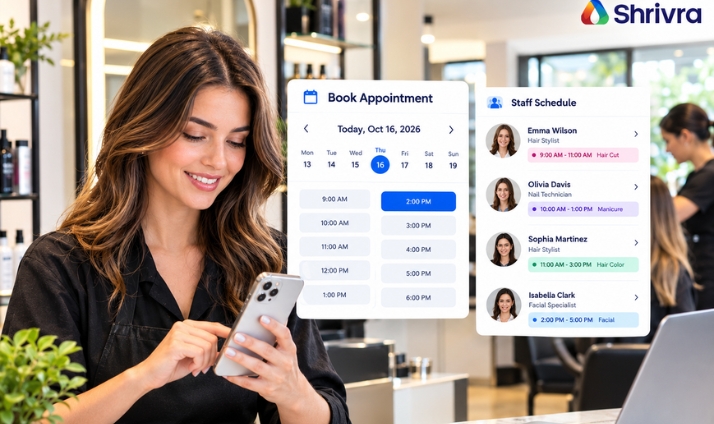
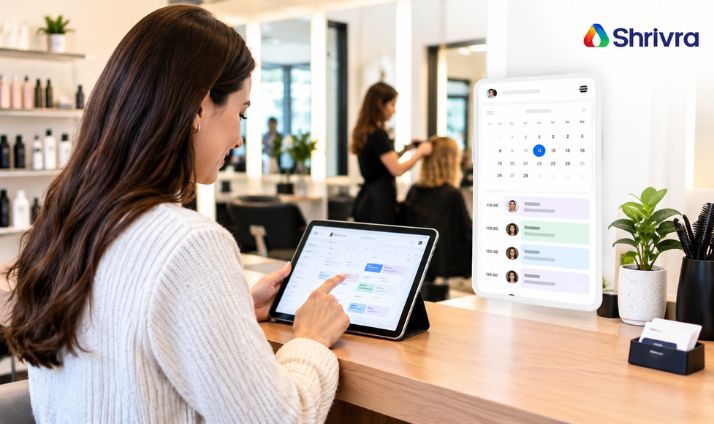
Clients can typically book online, while staff view a shared calendar showing every upcoming appointment. This keeps everyone working from the same information.
This shared visibility matters most in salons with multiple stylists working simultaneously. Everyone can trust the calendar reflects real-time availability.
Beyond basic booking, most platforms also handle reminders, rescheduling, and reporting. This turns scheduling into a complete workflow rather than a single task.
Key Features of a Salon Booking System
A well designed salon booking system typically includes several core features that support daily scheduling.
-
Online booking. Clients can book appointments at any time, without calling during business hours.
-
Real-time calendar view. Staff can see availability across the entire team at a glance.
-
Staff assignment. Bookings can be linked to specific stylists or therapists automatically.
-
Recurring and package bookings. Regular clients can book repeat visits without starting from scratch each time.
-
Slot blockers and off-hours rules. These prevent bookings during breaks or unavailable hours.
-
Automated reminders. Clients receive alerts before their appointment to reduce missed visits.
-
Reporting tools. Owners can review booking trends, busy periods, and no-show rates.
Not every salon needs every feature immediately. Choosing a system that can grow with these needs matters more in the long run.
For example, a stylist's calendar might show several bookings before lunch, each assigned automatically based on service type.
Together, these features form the backbone of a dependable scheduling system.
Benefits of Appointment Management Software
Appointment management software offers several practical advantages for salons of any size.
It reduces the time spent managing bookings manually. Staff no longer need to juggle phone calls, message threads, and paper notes at once.
It also reduces scheduling conflicts. A shared, real-time calendar prevents two clients from being booked with the same stylist accidentally.
Clients benefit too. Online booking and reminders make the experience more convenient and reduce missed appointments significantly.
Owners gain better visibility into daily operations. Reports on bookings and no-shows help identify patterns worth addressing.
Over time, these benefits support smoother days and a more predictable revenue flow.
Why Scheduling Directly Affects Revenue
Every open slot on a stylist's calendar represents lost revenue if left unfilled. Poor scheduling often leaves these gaps unnoticed.
A well-organised calendar keeps staff working at full capacity throughout the day. This directly supports more consistent daily revenue.
Efficient scheduling also reduces client wait times. Shorter waits often lead to better reviews and repeat visits.
Owners who track scheduling data closely often spot these revenue gaps sooner.
Best Practices for Salon Appointment Scheduling
Good software works best when paired with sound scheduling habits. A few practices consistently improve results.
-
Build in buffer time. Leave a short gap between appointments to handle delays or cleanup without falling behind.
-
Confirm bookings early. Send a reminder well before the appointment, not just an hour ahead.
-
Allow online rescheduling. Clients are more likely to update a booking than skip it entirely.
-
Match service duration to reality. Set realistic time slots based on actual service length, not rough estimates.
-
Block off staff breaks clearly. Mark unavailable hours in the system so clients cannot book during them.
-
Use recurring bookings for regulars. This keeps loyal clients on a consistent schedule with less manual effort.
-
Review scheduling reports regularly. Checking no-show and booking trends helps you spot issues before they grow.
-
Communicate changes quickly. Notify clients promptly if a stylist's availability changes unexpectedly.
Common Scheduling Mistakes to Avoid
A few common mistakes tend to undermine even good scheduling systems. Spotting them early helps prevent recurring disruptions.
Overbooking staff back-to-back leaves no room for delays. A single late appointment can then disrupt the rest of the day.
Ignoring differences in service duration is another issue. Treating every appointment as the same length creates unrealistic schedules.
Failing to sync calendars across multiple locations causes confusion. Staff and clients may see outdated availability as a result.
Relying on manual double entry between systems also introduces errors. Information typed twice is more likely to contain mistakes.
Ignoring client preferences for specific staff members can also reduce satisfaction over time.
How to Choose the Right Scheduling Software
Selecting the right platform depends on your salon's specific needs. A few factors are worth reviewing closely.
-
Ease of use. Staff should be able to manage bookings without extensive training.
-
Integration with other tools. Scheduling should connect with payments, client records, and marketing where possible.
-
Mobile access. Clients increasingly expect to book from their phones at any time.
-
Reporting capabilities. Look for insights into busy periods, staff utilisation, and no-show rates.
-
Support and reliability. Responsive support matters when scheduling issues come up during business hours.
-
Room to grow. Choose a platform that can support more staff, services, or locations later.
-
Client communication tools. Confirm the platform supports reminders and confirmations without extra manual work.
How Salonist Supports Salon Appointment Scheduling
Salonist offers salon appointment scheduling software designed to simplify daily bookings for salons and spas.
Clients can book online at any time, including recurring, package, and membership appointments. Staff can view all bookings from a shared calendar, reducing the risk of overlaps.
Slot blockers and off-hours rules clearly mark unavailable times. Automated reminders help reduce missed appointments before they happen.
The platform also includes reporting tools that show booking trends and no-show patterns over time. Salonist works on both web and mobile, so scheduling stays accessible from anywhere.
Salonist also connects scheduling with staff commissions and payroll, keeping compensation tied to completed appointments. Marketing tools such as email and SMS campaigns help fill any open slots that appear.
A free trial is available for salons that want to test the platform before committing.
Final Thoughts
Effective salon scheduling depends on the right combination of software and daily habits. Features like online booking and reminders reduce errors and missed visits.
Pairing these tools with practices like buffer time and clear staff availability improves results further. Together, they create a more predictable and organised booking process.
Consistent scheduling habits, supported by the right software, tend to produce the most reliable results.
Salonist brings these scheduling features together in one platform built for salons. Try Salonist to see how it can support your daily bookings.